
Create a 4–30-second AI video for TikTok, Reels, or Shorts. Start with a prompt, photo, or reference video.4–15 s · 480p / 720p · native audioUp to 9 images with Basic or 30 with Pro, plus one reference video. JPEG, PNG, WebP ≤ 10 MiB each · MP4/MOV ≤ 20 MiB, 2–30 s. Videos longer than 15 s automatically select Pro.Creative formats, ready to shapeSee the credits firstYour uploads and videos are privatePaste a Link Instead of UploadingPaste a public TikTok, YouTube, or Instagram URL in the generator.
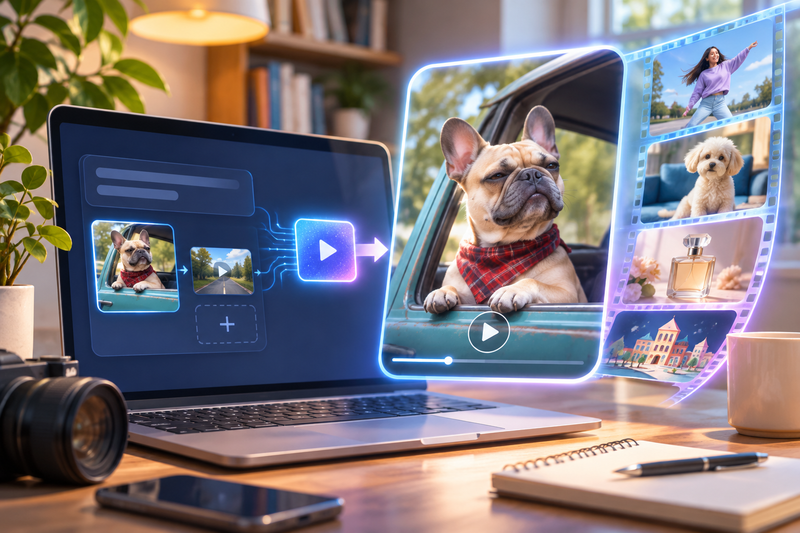
Preview the clip as a reference, then describe your own take—no download or re-upload.Paste the linkPreview the referenceDescribe and generateExample reference video9:16Viral AI Video Generator. Make Your Version.Preview an AI video and adapt its prompt.A deadpan pet reaction01 / 08 sYour Pet Owns This SpotIn this AI video, a dog guards a parked pickup with one deadpan glance.Start this AI video with a close-up photo or a pet description.720p · No audioSee the AI video starting promptSubject: A French bulldog wearing a red plaid bandana.
Action: turns toward the camera with a deadpan squint. Setting: at the open window of a parked vintage pickup. One continuous smartphone-style shot, natural dog paws, clear reaction, no human hands, no copied dialogue, no text or logos. Keep any vehicle parked.Your Input. Your Own Version.Compare each source with its AI video.01AI example image02New AI video · 5 secondsThe photo guided the first frame.
The AI video adds a head tilt and shuffle.Original AI video demo · 720p · 5 seconds · silentAdapt this AI video prompt.View the example promptUse the supplied first frame as the exact starting composition. Keep the same fluffy cream-colored small dog, blue sofa, sunny American apartment living room and natural dog anatomy. In one continuous locked full-body phone-style shot, the dog gives a curious head tilt and then makes two very gentle side-to-side shuffles.
Keep all paws visible, preserve the dog appearance, no human hands, no rapid movement, no recognizable choreography, no text, no logos. Silent original AI pet clip.Download the Example InputWhen Viral Video AI fits your projectChoose Viral Video AI for one original AI video: inspect paired inputs and results, adapt a prompt, and review credits before generating.
Preview and download the AI video in one workspace. For highlights from long recordings, choose a clip editor.Create a VideoPreview framing. Guides stay out of the downloaded AI video.Subject areaShow composition guideTikTok · A visual guide only. Platform controls and crops vary; check the final upload. The guide is not included in your video.Label realistic AI-generated content before posting to TikTok.
TikTok’s labeling rule.For non-ad Instagram Reels, disclose realistic-looking video or realistic-sounding audio created or altered digitally. Meta’s disclosure rule.For realistic AI video, follow YouTube’s disclosure criteria when uploading a Short. Check YouTube’s disclosure examples.Shape It. Make It. Share It.Use text to video for a described scene, or image to video for a photo-led first frame.
A video reference guides motion in a new AI video; appearance and timing can vary.Add up to 9 images with Basic or 30 with Pro, plus one reference video. Reference clips run from 2 to 15 seconds on Basic and 2 to 30 on Pro.Create a VideoPick the ideaDescribe the subject, action, and setting, or adapt a sample AI video prompt. Add your photo or video reference using Add Media.Choose your inputChoose the model, duration, resolution, and audio.
A photo alone uses an adaptive ratio; otherwise choose one. The credit estimate updates with your settings and reference-video duration.Generate and reviewReview the displayed credits, then select Generate Video to start. Sign in if prompted. Wait for completion, then play the full AI video. Check motion, subject details, and sound before downloading. If disconnected, check My Videos before paying for another video generation.01 / Dance & motionAI Dance Video GeneratorGive everyday life a little rhythm.Give one dancer a clear move, such as a side step.Create a Dance Video02 / Cats & animalsAI Cat Video GeneratorSmall paws.
Big main-character energy.Start with a pet photo or an idea for a short video.Create a Cat Video03 / Product showcaseAI Product Video GeneratorPut your product in the spotlight.Use a product photo to guide an AI video reveal.Create a Product Video04 / Animation & worldsAI Animation GeneratorMake the impossible feel handmade.Make an AI video of a paper city unfolding.Create an Animated Video05 / TikTokAI TikTok Video GeneratorEvery good clip needs a twist.Build an AI video around one visual joke.Create a TikTok Video06 / Instagram ReelsAI Instagram Reels GeneratorYour everyday, with a creative remix.Turn a fictional scene into a vertical AI video.Create a Reel07 / YouTube ShortsAI YouTube Shorts GeneratorOne satisfying moment.
Play it again.Use one action for a close-up AI video.Create a YouTube ShortClear Inputs. Clear Credits.The quote updates when you change media or settings. Task credit returns and cash refunds follow separate rules. Choose the right workflowWhat is Viral Video AI?Viral Video AI generates short social clips from text, reference photos, one reference video or photos plus a video.
You can also choose a prepared template. It does not turn every result into a viral post.Can I make dance, pet, animated, product and promotional videos?Yes. The tool directory covers dance, cats, visual comedy, product shots, animation, baby-themed scenes, promotion and clips intended for TikTok, Reels or Shorts. Each creates a short generated scene; review the selected page’s input rules and limits.Do I need a photo or a reference video?
Start with text, optionally add up to 9 photos with Basic or 30 with Pro, plus one reference video. A single image without video guides the first frame; multiple photos provide visual references. With a video, photos guide appearance while the video guides motion.Which video templates can I use, and what can I change?The templates linked here are available in the current language.
Photo-action templates supply prepared movements and may fix length, ratio or sound; scene templates let you edit their starting brief. Check each template before adding media. Sheru Bhai AI Video Generator · Snow Leopard Paws AI Video Generator · Shan Shen Bu AI Dance · Cosmic Cat Video TemplateWill the result exactly match my reference?No exact match is guaranteed.
Appearance, motion, lettering and audio can vary. Start with a clear source and one simple action, then inspect the entire finished clip before sharing or buying another attempt.Prepare and generateHow do I generate my first video?Open the creation area, add the required input and review the available settings and credit quote. Select Generate Video, sign in if prompted, then review the finished picture and audio before downloading.Which duration, resolution and aspect ratio can I choose?
Basic offers 4–15 seconds at 480p/720p; Pro offers 4–30 seconds and adds 1080p. The interface offers portrait, landscape and square choices where applicable. A single image without video uses an adaptive ratio; multiple images offer ratio choices.Can I generate sound or upload my own song?Native audio requests generated sound; turning it off requests silence.
General tools have no separate song upload, exact voice matching, precise lip sync or beat mapping. Add licensed music and precise speech in an editor after download. Original reference soundtracks are not guaranteed, and there is no exported audio-mix or volume editor.Accounts, credits and task statusHow much will one generation cost?The creation area shows the current quote.
Tier, output length, resolution and reference-video duration affect it; prepared template references can also count. Recheck the total after changing settings. Video Credit GuideSave, share and protect your mediaWhere can I find and download my finished video?Open the completed task in the creation area or My Videos, play the result and use Download. Save your own copy for later editing or posting.
Samples are examples, not your personal task output. The download is an MP4 file. My VideosYour Idea. Your Short. Your Version.Create a Video
 Routing Brief admin